
Set up Auto Field Boost in Bee Swarm Simulator
Field boosts multiply what a gather session is worth, but only when they fire on the right schedule. Auto Field Boost uses the dice, glitter, and HQ booster methods you enable for your first active gather field. This guide covers its setup under Tools → Auto Field Boost.
Before you start
Section titled “Before you start”- Add at least one active field on Gather → Fields. Auto Field Boost targets the first field in order.
- You can find Auto Field Boost at Tools → Auto Field Boost, with General, Limits, and Hotbar tabs.
- Field Dice, Smooth Dice, Loaded Dice, and Glitter on Gather → Boosts open Tools → Auto Field Boost via Open Auto Field Boost, not the modifier timer grid.
-
Open Gather → Fields and confirm at least one field is active. The first field in order is the Auto Field Boost target.
-
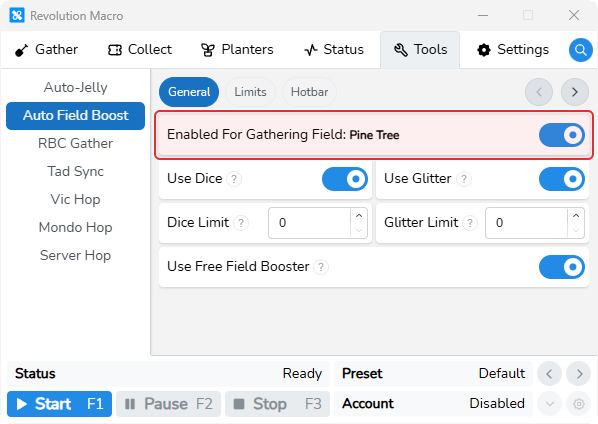
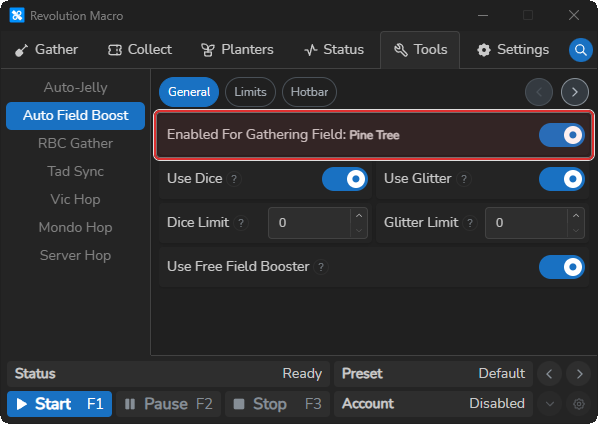
Open Tools → Auto Field Boost → General. Enabled For Gathering Field shows that field name when one exists.
-
Turn Enabled on. Leave Use Dice, Use Glitter, and Use Free Field Booster on (defaults), or turn methods off to match what you stock. Set Dice Limit or Glitter Limit if you want a cap.
-
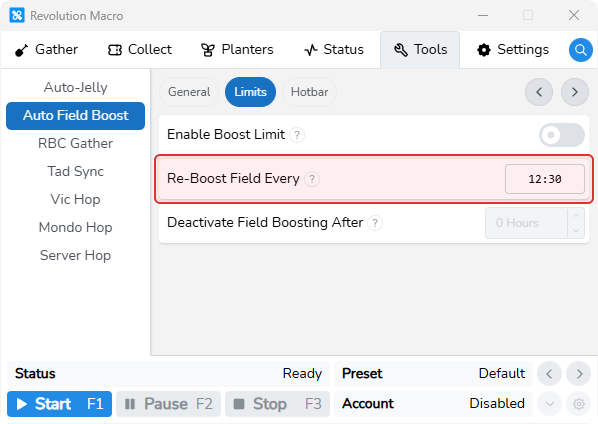
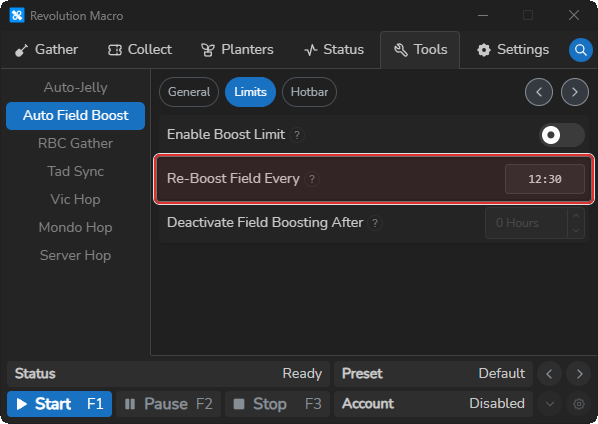
Open Limits. Leave Re-Boost Field Every at 12:30 (default). Optionally turn on Enable Boost Limit and set Deactivate Field Boosting After in hours.
-
Optionally open Hotbar and place Field Dice and Glitter where the macro can use them.
-
Start the macro. Status or logs can show
Field Boosted: …when a boost lands.
Tad Sync alts
Section titled “Tad Sync alts”When both Use Glitter and Use Dice are on, connected alts only follow when the boosted field matches the Auto Field Boost target field.
- Keep Tools → Auto Field Boost → Enabled on with both Use Glitter and Use Dice on. Run Tad Sync as Main on your relay.
Each tad alt
Section titled “Each tad alt”-
Run Tad Sync on the same relay as a tad or follower alt.
-
Confirm alts travel to the boosted field when it matches the Auto Field Boost target.
More settings
Section titled “More settings”Enabled
Section titled “Enabled”Turns Auto Field Boost on for your first active gather field. The switch stays off until at least one gather field is active. Enabled For Gathering Field shows that field name when one exists.
Use Dice
Section titled “Use Dice”Lets Auto Field Boost roll field dice until dice run out or Dice Limit is reached. Default is on. With only dice enabled, re-boost waits at least 15 minutes even if Re-Boost Field Every is shorter.
Use Glitter
Section titled “Use Glitter”Lets Auto Field Boost use glitter until glitter runs out or Glitter Limit is reached. Default is on. Tad Sync tad roles do not spend glitter — only Main does. After glitter is used, Auto Field Boost waits about 15.5 minutes before glitter is usable again.
Use Free Field Booster
Section titled “Use Free Field Booster”Uses the matching HQ free field booster for your gather field color. Default is on. Also turns on when Gather Boosted Field or Stagger Boosts on Collect → Buffs → HQ Boosters needs that booster. Turn it off if free field boosters misbehave on your setup. Free field booster re-boosts can start about 60 seconds earlier than Re-Boost Field Every when that interval is above 60 seconds.
Dice Limit
Section titled “Dice Limit”Caps how many dice Auto Field Boost may use. Set to 0 for unlimited uses. Greyed out until Enabled and Use Dice are on.
Glitter Limit
Section titled “Glitter Limit”Caps how many glitter Auto Field Boost may use. Set to 0 for unlimited uses. Greyed out until Enabled and Use Glitter are on.
Enable Boost Limit
Section titled “Enable Boost Limit”Turns on the hours-based run limit. When the limit hits, Auto Field Boost stops with a boost time limit reached message.
Deactivate Field Boosting After
Section titled “Deactivate Field Boosting After”Hours setting for how long Auto Field Boost may stay active once Enable Boost Limit is on. Greyed out until Enable Boost Limit is on.
Re-Boost Field Every
Section titled “Re-Boost Field Every”MM:SS wait after the last boost before Auto Field Boost tries again. Default is 12:30. 00:00 still means about 12.5 minutes. Try about 11:30 if you burn dice or glitter too fast.
Tad Sync and Gather → Boosts
Section titled “Tad Sync and Gather → Boosts”When both Use Glitter and Use Dice are on, Tad Sync alts only follow if the boosted field name matches the Auto Field Boost target. See Set up Tad Sync. On Gather → Boosts, selecting Field Dice, Smooth Dice, Loaded Dice, or Glitter shows Open Auto Field Boost instead of the modifier timer grid. For hotbar slots and extract/oil timers, see Hotbar slots and buff timers.
Troubleshooting
Section titled “Troubleshooting”Auto Field Boost Stopped
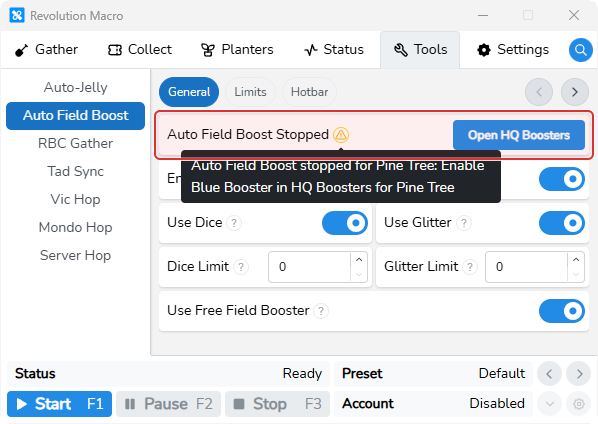
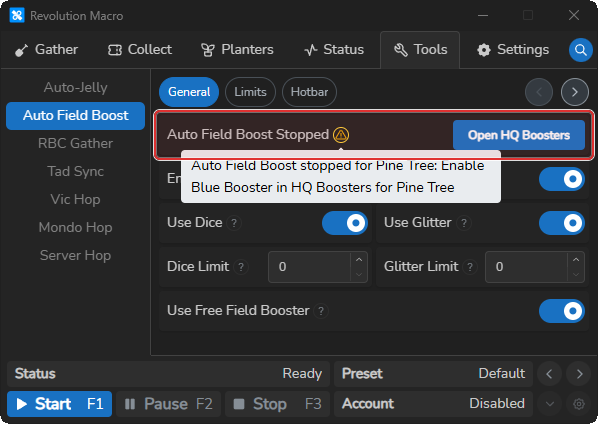
Section titled “Auto Field Boost Stopped”Cause: Tools → Auto Field Boost shows a yellow Auto Field Boost Stopped alert. The message names why boosting stopped — often exhausted dice or glitter, a limit, no methods enabled, or a missing HQ booster.
Fix:
-
Read the yellow Auto Field Boost Stopped alert on Tools → Auto Field Boost.
-
If the message mentions HQ Boosters, click Open HQ Boosters or open Collect → Buffs → HQ Boosters and turn on the booster color for your gather field.
-
Otherwise turn Use Dice, Use Glitter, or Use Free Field Booster back on, or raise Dice Limit / Glitter Limit if a cap was reached.
Field Not Boosted
Section titled “Field Not Boosted”Cause: A dice or glitter attempt failed, or field dice or glitter ran out.
Fix:
- Check logs for
Field Not Boosted,Field Dice Depleted,Field Dice Limit Reached, orGlitter Depleted. - Restock field dice or glitter in your hotbar, or raise Dice Limit / Glitter Limit, or set either to 0 for no cap.
- Confirm Enabled is on and at least one boost method stays on.
Auto Field Boost stopped: boost time limit reached
Section titled “Auto Field Boost stopped: boost time limit reached”Cause: Enable Boost Limit is on and Deactivate Field Boosting After hours have elapsed.
Fix:
- Open Tools → Auto Field Boost → Limits.
- Turn off Enable Boost Limit, or raise Deactivate Field Boosting After, then turn Enabled back on.
More help
- HQ boosters, Sticker Stack, and Wind Shrine when Auto Field Boost needs a matching HQ Booster.
- Set up Tad Sync
- Connect accounts with relay