
Set up hotbar slots and buff timers
Buffs are essential to improving your honey hourly in Bee Swarm Simulator. Revolution Macro can automatically use items from your hotbar or inventory, as long as you configure timers to use them. This guide covers how to set up auto-buff on Gather → Boosts.
Before you start
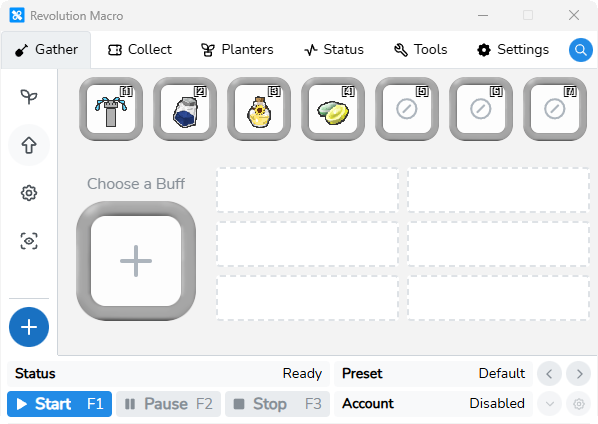
Section titled “Before you start”- Keep Sprinkler Builder in hotbar slot 1, or leave slot 1 empty. The macro treats an empty slot 1 as Sprinkler Builder.
- The buff item must exist in that account’s inventory.
- Hotbar layout is per account. Switching or importing a preset does not move your slots.
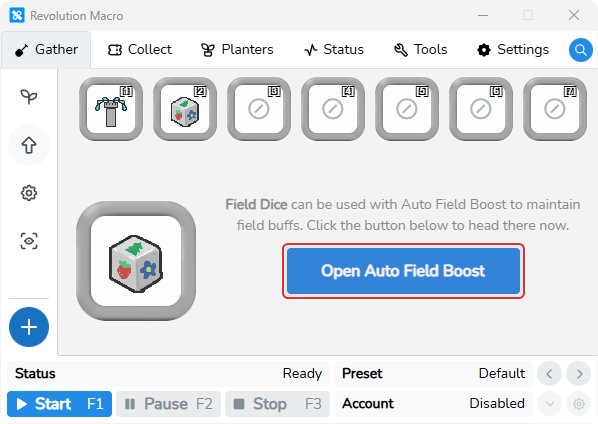
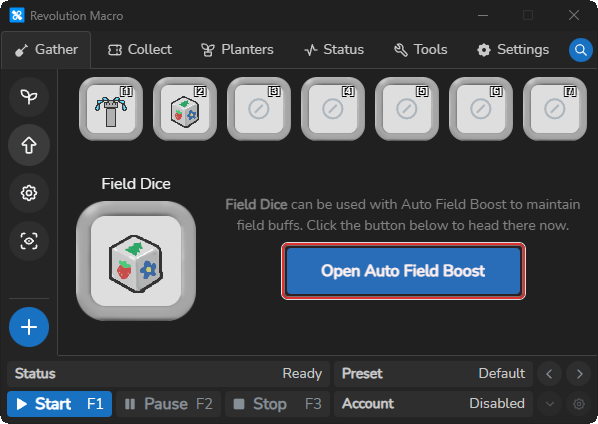
- Field Dice, Smooth Dice, Loaded Dice, and Glitter open Tools → Auto Field Boost instead of the modifier timer grid. See Auto field boost.
-
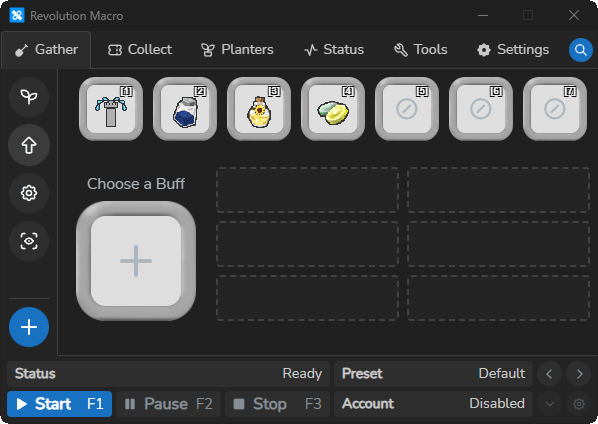
Open Gather → Boosts. Confirm slot [1] shows Sprinkler Builder (or is empty).
-
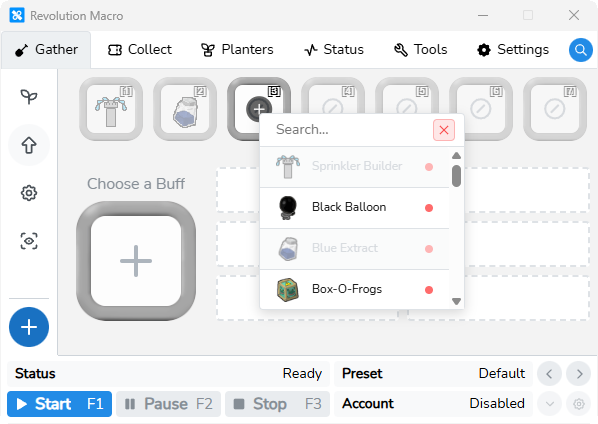
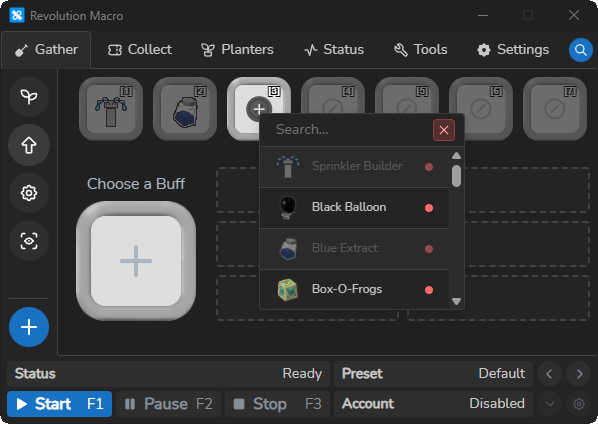
Click an empty slot 2–7. In the picker, use Search… and choose a buff (for example Blue Extract, Oil, or Enzymes). Assigning an item clears it from any other slot.
-
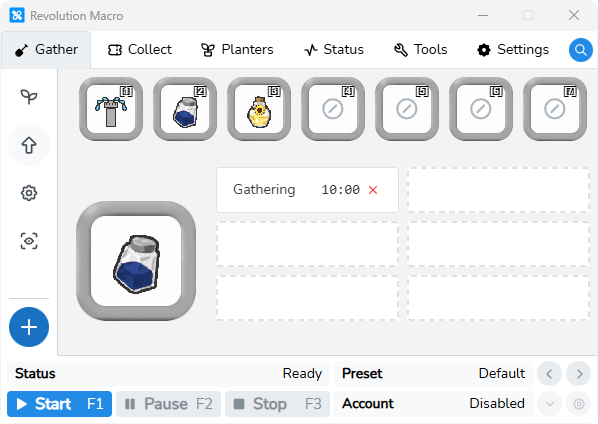
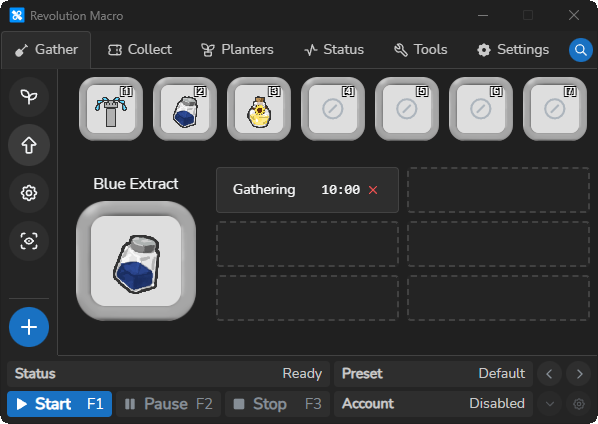
Click the buff in the hotbar (or the large Choose a Buff slot) so it is selected. The modifier timer grid appears for that item.
-
Click a usage-class cell such as Gathering and set a MM:SS delay. Leave unused classes at
--:--.
-
Start the macro. When that usage class fires and the delay has elapsed, logs can show
Using item … for auto-buff.
When each timer fires
Section titled “When each timer fires”Each timer is tied to a usage class. The macro checks matching consumables at these moments:
- Gathering: while gathering in a field
- Bag Full: when the backpack is full during gather
- Converting: while converting at the hive
- Hive Return: when leaving the field for the hive
- Travelling: while walking between locations
One cooldown applies per item name across every usage class. If Oil has Gathering at 10:00 and Converting at 02:00, both share the same last-use clock. The shorter delay is the one that effectively limits how often Oil fires.
Auto-buff follows the timer rules in your preset, not whether the item still sits in a hotbar slot. If the slot is empty or you swapped another item into that slot, the macro can still use the buff from your inventory when the timer fires.
Field dice and glitter
Section titled “Field dice and glitter”Selecting Field Dice or Glitter on Gather → Boosts replaces the timer grid with Open Auto Field Boost. That path keeps a gather field boosted. It is not a usage-class timer.
More settings
Section titled “More settings”Hotbar slots
Section titled “Hotbar slots”Slots 1–7 map which item the macro presses with keys 1–7. Slot layout is per account. You can find timer rules for those items in the active preset under buff consumables.
Usage-class timers
Section titled “Usage-class timers”Each selectable buff shows the usage classes it supports. Common honeymaking examples:
- Blue Extract uses Gathering
- Oil uses Gathering, Converting, Travelling, and Hive Return
- Enzymes uses Gathering and Converting
- Super Smoothie uses Gathering, Converting, and Travelling
--:-- means no timer. Clearing a timer to 0 removes that modifier. Removing the last modifier deletes the consumable from the preset.
Clear slot (red X in the picker)
Section titled “Clear slot (red X in the picker)”The red X next to Search… clears the hotbar slot you are editing and deletes that item’s preset timers. Use this when you want the macro to stop using a buff entirely.
Clear a usage-class timer (red X on the cell)
Section titled “Clear a usage-class timer (red X on the cell)”When a cell shows MM:SS, the red X on that cell sets the timer to 0 and removes that usage class. If it was the last timer on that item, the consumable is removed from the preset.
Whirligig
Section titled “Whirligig”After an auto-buff use, Whirligig re-anchors the scheduler to your claimed hive.
Micro-Converter
Section titled “Micro-Converter”After an auto-buff use, Micro-Converter waits briefly and forces a backpack check.
Gumdrops during goo quests
Section titled “Gumdrops during goo quests”While a Riley or Bucko goo quest is active with Use Gumdrops on, Gathering auto-buff uses gumdrops on a fixed 5 second cadence and skips the configured Gumdrops modifier for that tick.
Troubleshooting
Section titled “Troubleshooting”Buff still used after removing from the hotbar
Section titled “Buff still used after removing from the hotbar”Cause: A usage-class timer is still set in the preset. Auto-buff reads preset timers, not hotbar layout alone. Swapping another item into the slot, leaving the slot empty, or changing your in-game hotbar does not clear the timer.
Fix:
- Select the buff on Gather → Boosts (or open the picker for that slot) and click the red X (Clear slot) to remove the hotbar entry and delete the preset timer.
- Or select the item, open the usage-class cell, and clear the timer to 0 with the red X on that cell.
- Confirm the modifier grid shows
--:--for every class on that item before you start the macro again.
Item never used
Section titled “Item never used”Cause: The item is missing from inventory, every usage class is still --:--, or the class does not match what the macro is doing right now.
Fix:
- Confirm the item is in that account’s inventory and still assigned on Gather → Boosts.
- Set a timer on a class that matches the current stage (for example Gathering while in a field).
- Check logs for
Failed to use item during auto-buffif the hotbar and inventory paths both fail.
Buff fires more often than the longest timer
Section titled “Buff fires more often than the longest timer”Cause: All usage classes for one item share a single last-use time.
Fix: Treat the shortest delay on that item as the effective cooldown, or clear the short class if you only want the long cadence.