
Macro stuck or resets in Revolution Macro
There are several issues that can cause your macro to get stuck or your character to unexpectedly reset. This can result in your character drifting, getting lost and resetting, or idling. Check out the fixes in this guide to resolve common issues.
Before you start
Section titled “Before you start”Finish Detection problems first — match Player Movespeed at Settings → Game → Movement to your in-game studs/sec from the stats menu with no speed buffs active.
Won’t return to the hive
Section titled “Won’t return to the hive”Cause: If the macro keeps gathering and never leaves the field, start with the field card under Gather → Fields.
The macro stops gathering when the field time runs out, your Max Backpack percent is reached, or Inactive Honey Timeout (when the macro detects that no honey is being made) fires.
After gathering stops, the macro always goes back to the hive to convert.
Fix:
- Open Gather → Fields, click the pencil on the field that will not end, and edit the seconds input on the top left of the field card. Check Max Backpack and gather forever on that card. See Gather time and Max Backpack.
Pathing fails or the macro resets on return
Section titled “Pathing fails or the macro resets on return”Cause: The macro walks into the wrong place, hits a wall and resets, or never makes it back from the field.
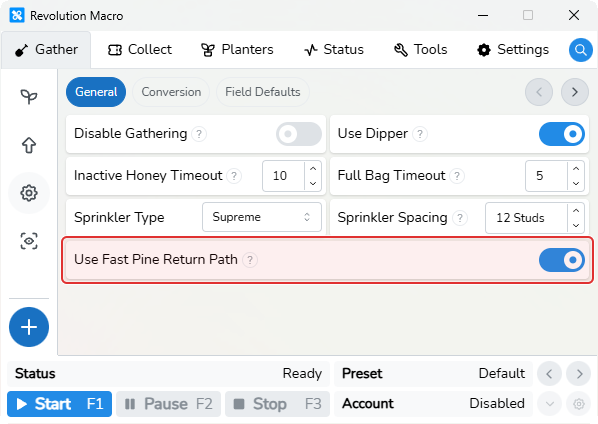
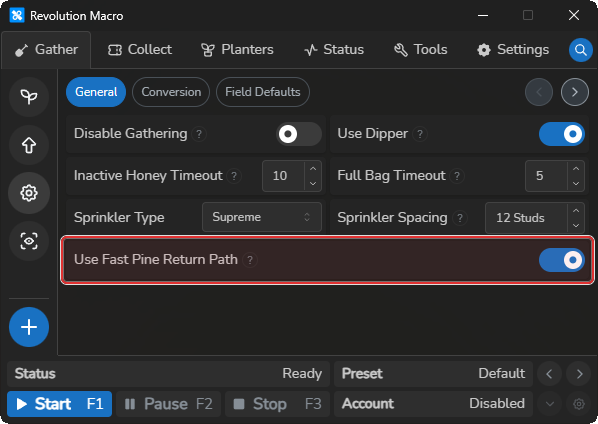
On Pine Tree, Use Fast Pine Return Path can make your return reset before reaching your hive or send you the wrong way.
If Player Movespeed does not match your in-game speed, returns and field entry often fail. Position, Length, Width, Distance, and Tilt on the field card must also match the field you are actually in.
Fix:
- Open Gather → Gather Settings → General and turn off Use Fast Pine Return Path if you gather at Pine Tree and your return resets before reaching your hive or goes the wrong way.
- If the macro still enters the wrong field or the pattern does not fit, open Choose fields and patterns and tune Position, Length, Width, Distance, and Tilt on the field card until the sprinkler is visible and Position is in a valid spot on the field.
- With a full bag, enable Walk Return on the field card so the macro walks back to the hive instead of resetting on the exit path.
- If return to the hive still fails after that, see Detection problems.
Sprinkler position drifts after converts
Section titled “Sprinkler position drifts after converts”Cause: Your field pattern settings are off, so sprinklers land in the wrong place after convert trips. Mismatched Player Movespeed makes that drift worse after each convert.
Fix:
-
If you gather Pine Tree with Kettle, open Gather → Fields, click the pencil on the field, paste this configuration, and confirm the field card shows Kettle:
{"position":"bottom-right","length":1,"width":1,"distance":5,"pitch":3,"backpackPercent":95,"seconds":600,"shiftLock":true,"walkReturn":true,"gatherPattern":"Kettle","field":"pinetree"}For other fields or pattern tweaks, re-paste the starter configuration from Your first gathering session or see Choose fields and patterns.
-
Confirm Player Movespeed matches your in-game speed — see Detection problems.
-
If you use AI Gather, finish Set up AI Gather for Hive Color and model settings.
-
Set Use High Alignment to high on Settings → Game → Routing only if sprinklers still drift after the paste and movespeed match.
Status shows Idling
Section titled “Status shows Idling”Cause: No gather field is configured, or the macro is waiting on passes or bugs with nothing else queued.
Fix:
- Open Gather → Fields and add or enable a gather field if you do not want the macro to idle.
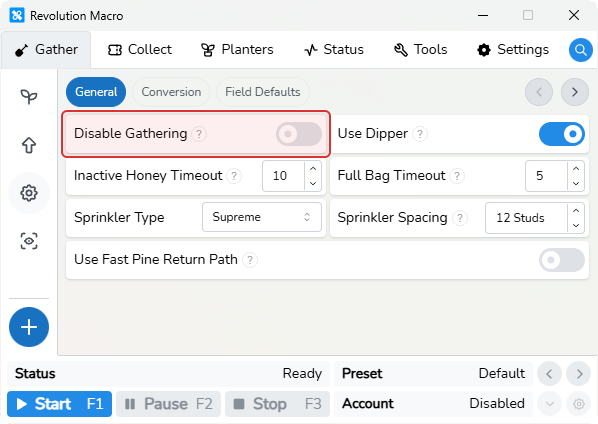
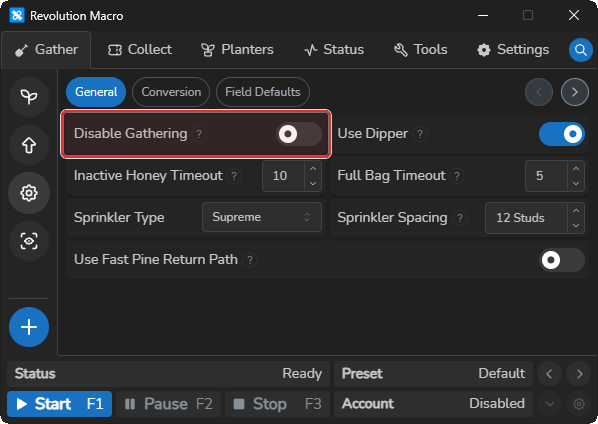
- Confirm Disable Gathering is off at Gather → Gather Settings → General. When gather is intentionally off, Status can stay on
Idlingeven with fields listed.
Bloom or petal quests not completing
Section titled “Bloom or petal quests not completing”Cause: Bloom and petal automation expects Supreme sprinkler settings and the Supreme Saturator in-game.
Fix:
- Set Sprinkler Type to Supreme at Gather → Gather Settings → General.
- For petal or bloom collection drift, equip the Supreme Saturator in your hotbar (slot 1 is the usual default).
- If still broken, use Reset Settings at Settings → Macro → Misc, then re-apply the options you need.
More help
Section titled “More help”- Expected AI Gather but a pattern runs → Set up AI Gather
- Gather never ends / backpack percent looks wrong → Detection problems
Known limitations
Section titled “Known limitations”- Maximum Minutes under Gather → Gather Settings → Conversion does not stop gather or send you back to the hive. It only determines when conversion at the hive can run when the macro is doing other tasks, like killing bugs or collecting dispensers.
- When you have the Pop Star buff and your backpack is full, the macro may keep gathering for a few seconds before it stops gathering — that can keep you on the field for longer than you might intend. That extra wait comes from Inactive Honey Timeout (when the macro detects that no honey is being made) at Gather → Gather Settings → General.
If you’re still stuck
Section titled “If you’re still stuck”Check these values in your preset and share them when you ask for help:
- Player Movespeed (Settings → Game → Movement)
- What pattern you’re using
- Walk Return on the field pattern
- Your OS and Revolution Version from Settings → Credits
Open the Status tab, set Log Level to 4, and click the clipboard icon (Copy Logs).