
Set up Tad Sync in Bee Swarm Simulator
Tad alts are critical for endgame blue strategies, as they increase the size of your pop stars, generate more frogs, and overall help you produce more honey. Tad Sync keeps them on the same field while your main account uses the HQ booster. If you run tad alts, turn it on under Tools → Tad Sync so followers move when Main boosts.
Before you start
Section titled “Before you start”- Connect every account on the same relay first (Connect accounts with relay). People should show Connected before you enable Tad Sync.
- You can find Tad Sync at Tools → Tad Sync. Main sends boost redirects. Tad Alt follows.
Host (Main account)
Section titled “Host (Main account)”-
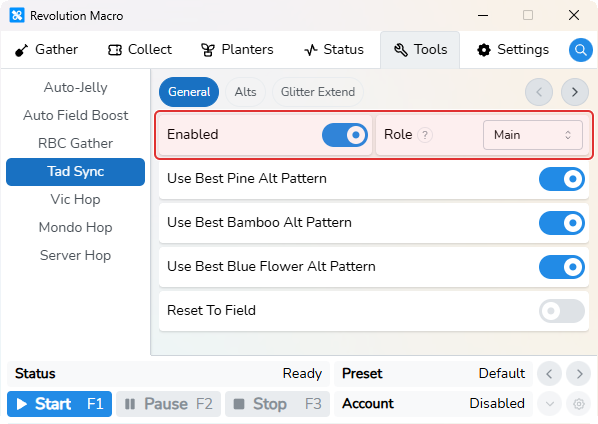
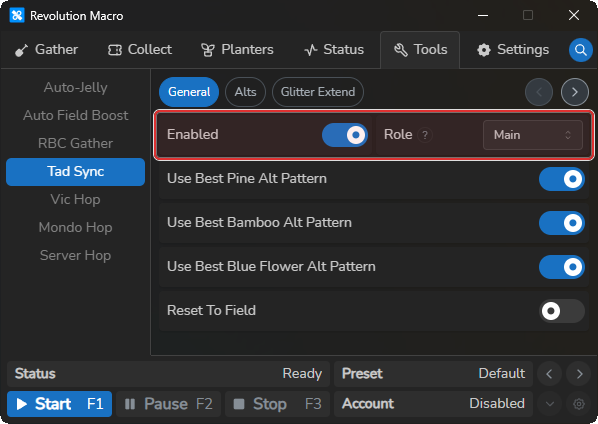
Open Tools → Tad Sync → General. Turn Enabled on and set Role to Main.
Each Tad Alt
Section titled “Each Tad Alt”- Open Tools → Tad Sync → General. Turn Enabled on and set Role to Tad Alt.
Confirm sync
Section titled “Confirm sync”- Start the macro on every account. After Main takes an HQ or Auto Field Boost field boost, Tad Alt status moves to
Travelling toorGathering atthat field.
Glitter Extend (optional)
Section titled “Glitter Extend (optional)”After roles work on a shared relay, Main can re-glitter near boost expiry so the boost stacks and alts stay synced.
-
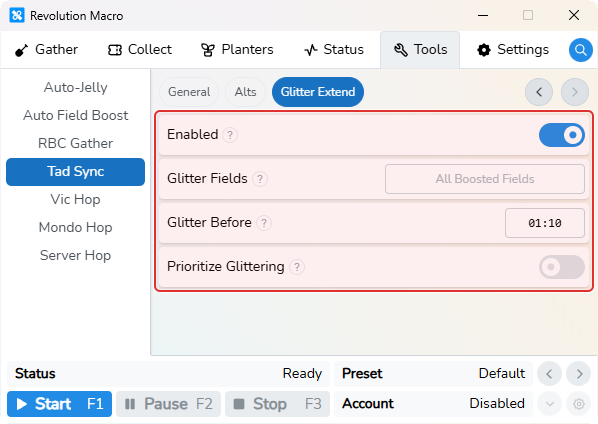
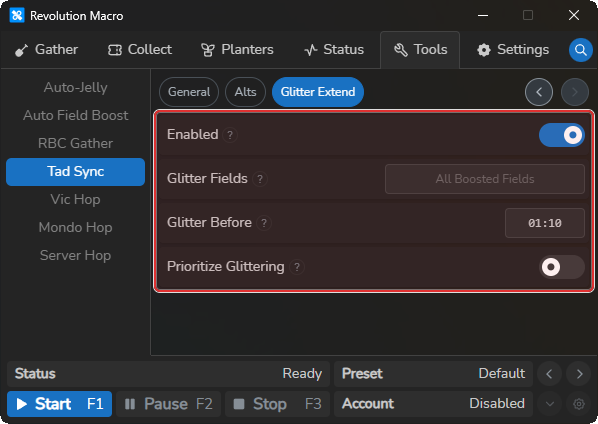
On Main, open Tools → Tad Sync → Glitter Extend. Turn Enabled on. Glitter Fields, Glitter Before, and Prioritize Glittering become editable. Tad Alt accounts see Main account only and cannot edit these.
-
Choose the boosted fields that Main can re-glitter and set how early it should use glitter. Turn Prioritize Glittering on if Main converts before it can extend the boost.
More settings
Section titled “More settings”Enabled
Section titled “Enabled”Turns Tad Sync on for this account. Enable it on Main and each Tad Alt after every account joins the same relay. Tad Sync cannot run with Vic Hop, RBC Gather, or Mondo Hop on the same account.
Tools → Tad Sync → GeneralMain sends boosted-field redirects, and Tad Alt follows them. Set Main on the account that uses the booster and Tad Alt on each follower. A Tad Alt also rejoins Main’s Roblox server when needed. Use Send To Field on Tools → Tad Sync → Alts to send a selected alt to Pine Tree, Bamboo, or Blue Flower.
Use Best Pine Alt Pattern
Section titled “Use Best Pine Alt Pattern”Uses the built-in alt gather pattern when Tad Sync sends an alt to Pine Tree. Turn it off to use that alt’s own Pine Tree pattern.
Use Best Bamboo Alt Pattern
Section titled “Use Best Bamboo Alt Pattern”Uses the built-in alt gather pattern when Tad Sync sends an alt to Bamboo. Turn it off to use that alt’s own Bamboo pattern.
Use Best Blue Flower Alt Pattern
Section titled “Use Best Blue Flower Alt Pattern”Uses the built-in alt gather pattern when Tad Sync sends an alt to Blue Flower. Turn it off to use that alt’s own Blue Flower pattern.
Reset To Field
Section titled “Reset To Field”Resets the alt at its hive before it travels to a redirected field. Turn it on if an alt stays stuck after a field change.
Return Field
Section titled “Return Field”Sets the field a Tad Alt uses after a boost ends when it has no active gather pattern. If this is empty, the alt uses Pine Tree.
Main account only
Section titled “Main account only”Lets Main re-glitter a boosted field near expiry so the boost continues and the alts stay together. This is available only when Role is Main.
Glitter Fields
Section titled “Glitter Fields”Sets which boosted fields Main can extend with glitter. An empty list includes every boosted field.
Glitter Before
Section titled “Glitter Before”Sets how many seconds before a boost expires that Main can use glitter. The default is 70.
Prioritize Glittering
Section titled “Prioritize Glittering”Keeps Main in the boosted field while it is about to use glitter. Turn it on if Main leaves to convert before extending the boost.
Troubleshooting
Section titled “Troubleshooting”If Tad Alts do not follow Main, confirm that every account is connected to the same relay and has the correct role. For relay failures, see Relay and connection problems.
More help
- Connect accounts with relay
- Relay and connection problems — includes relay dial tcp timeout and empty Relays list