
Set up Vic Hop in Bee Swarm Simulator
Stingers are a critical aspect of Bee Swarm Simulator as they are required for boosts. They can be obtained by killing Vicious Bees, but that requires hopping servers during night-time to find them. Doing that yourself takes forever because most servers do not have one. Vic Hop hops for you, searches for Vicious Bees, and automatically kills them. If you have alts, set them to Searcher so they hop at the same time and bring your main in.
Before you start
Section titled “Before you start”- You can find Vic Hop at Tools → Vic Hop — not the separate Tools → Server Hop page.
- For Searcher alts, connect every account on the same relay first (Connect accounts with relay).
- Set Role to Main on the account that kills. Searcher is optional for alts.
-
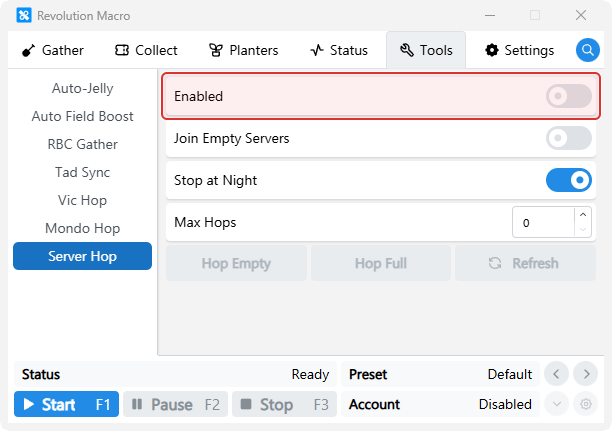
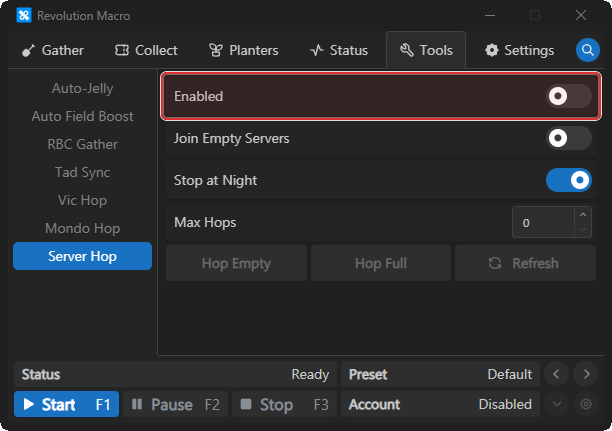
Open Tools → Server Hop and turn Enabled off.
-
Open Tools → Vic Hop → General. Turn Enabled on and set Role to Main.
-
Open Tools → Vic Hop → Main. Turn on Claim Hive When Searching if you want Main to claim a hive before searching. It also makes Join In-Progress Battles and Vicious Bee Minimum Health available.
-
Start the macro. Status can show
Finding New Serverwhile hopping, then search and kill Vicious on Main.
Main plus Searcher alts
Section titled “Main plus Searcher alts”With every account Connected on the same relay, set Vic Hop roles:
Host (Main account)
Section titled “Host (Main account)”-
Open Tools → Vic Hop → General. Turn Enabled on, set Role to Main, and turn Server Hop off.
-
Open Tools → Server Hop and turn Enabled off.
Each Searcher alt
Section titled “Each Searcher alt”-
Open Tools → Vic Hop → General. Turn Enabled on, set Role to Searcher, and leave Server Hop on.
-
Open Tools → Server Hop and turn Enabled off.
Confirm
Section titled “Confirm”- Start the macro on Searchers, then Main. When a Searcher finds Vicious, Main Status can show
Joining Detected Server, thenKilling Vicious Bee.
More settings
Section titled “More settings”Enabled
Section titled “Enabled”Turns Vic Hop on for this account. Enable it on accounts that search for or kill Vicious Bees. It cannot run with the standalone Tools → Server Hop, Tad Sync, or RBC Gather on the same account.
Tools → Vic Hop → GeneralMain kills Vicious Bees. Searcher finds them and notifies Main through the relay. Use Main on the account that fights and Searcher on alts that scout other servers.
Server Hop
Section titled “Server Hop”Turns Vic Hop’s own public-server hopping on or off. Use it for solo Main hunting. Turn it off on Main when Searcher alts find Vicious Bees, so Main keeps gathering until a Searcher calls it into a server. Searchers keep hopping regardless of this setting.
Hop Timeout
Section titled “Hop Timeout”Sets how long Vic Hop waits for Roblox to join a server. The default is 30 seconds. Raise it if Roblox often takes longer to load.
Claim Hive When Searching
Section titled “Claim Hive When Searching”Makes Main claim a hive before it searches for Vicious Bees. Turn it on to use Join In-Progress Battles.
Join New Battles
Section titled “Join New Battles”Makes Main join Vicious Bee battles that other players start while Main is searching.
Join In-Progress Battles
Section titled “Join In-Progress Battles”Makes Main join Vicious Bee battles already in progress. It requires Claim Hive When Searching.
Vicious Bee Minimum Health
Section titled “Vicious Bee Minimum Health”Sets the lowest Vicious Bee health that Main will join in an in-progress battle. The default is 20%. This setting requires Claim Hive When Searching.
Skip Spider Search
Section titled “Skip Spider Search”Skips Spider Field when a Searcher looks for Vicious Bees.
Skip Pepper Search
Section titled “Skip Pepper Search”Skips Pepper Patch when a Searcher looks for Vicious Bees.
For mid-fight loops, skipping-night issues, or relay desync after setup, see Vic Hop failures.
Troubleshooting
Section titled “Troubleshooting”If Vic Hop times out, loops during a fight, or Searchers do not sync with Main, see Vic Hop failures. For Roblox loading problems, see Roblox launcher loops.