
Beesmas collectables in Bee Swarm Simulator
During Beesmas, decorations around the map give you mats, beequips, and other rewards. Revolution collects from the decorations you enable under Collect → Dispensers → Beesmas as soon as they become available. This guide covers the seasonal collectables you can automate.
Before you start
Section titled “Before you start”- You can find Beesmas collectables at Collect → Dispensers → Beesmas. The Beesmas tab appears only when Beesmas is active.
- Stockings, Honey Wreath, Beesmas Feast, Gingerbread House, Snow Machine, Candles, Samovar, and Lid Art default off. Turn on only what you want.
- Honey Wreath also needs convert required and backpack at or above Maximum Backpack % under Gather → Settings → Conversion.
- If the Beesmas tab is missing, turn on Enable Beesmas under Settings → Macro → Misc.
-
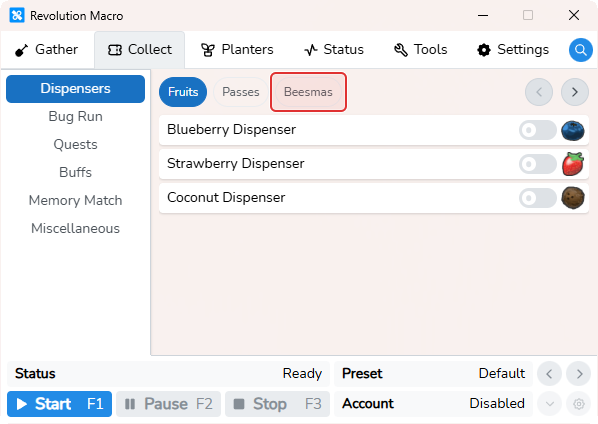
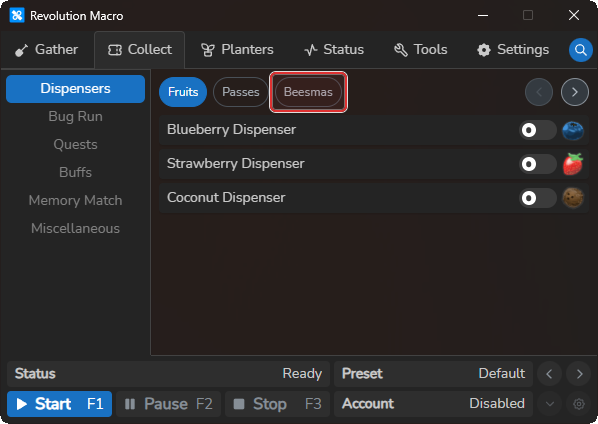
Open Collect → Dispensers. You see Fruits and Passes modules. Beesmas appears only when Beesmas is active.
-
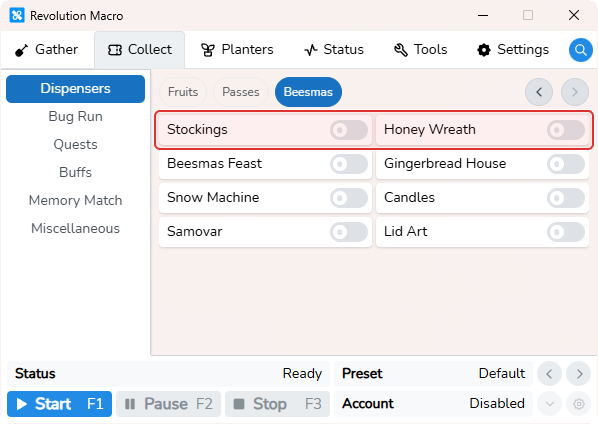
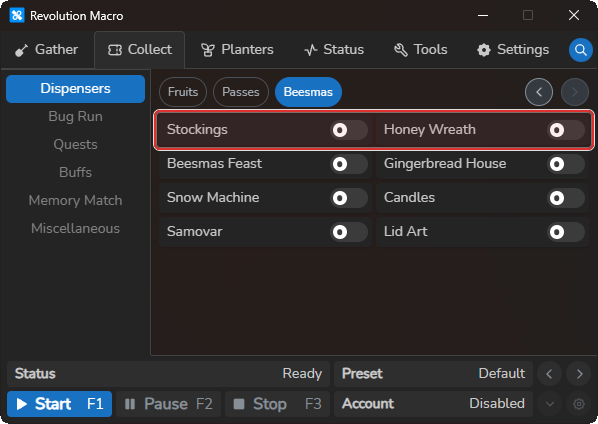
Select Beesmas. You see switches for Stockings, Honey Wreath, Beesmas Feast, Gingerbread House, Snow Machine, Candles, Samovar, and Lid Art.
-
Turn on the collectables you want. Leave the rest off.
-
Start the macro and let it run. Status can show
Collecting: …for each ready item, thenCollected From: …on success. Honey Wreath waits until convert is required and backpack meets Maximum Backpack %.
More settings
Section titled “More settings”Stockings
Section titled “Stockings”When on and Beesmas is active, the macro schedules Stockings collection about every 1 hour.
Honey Wreath
Section titled “Honey Wreath”When on and Beesmas is active, the macro schedules Honey Wreath about every 30 minutes, but only while convert is required and backpack percent is at or above Maximum Backpack % under Gather → Settings → Conversion. Honey Wreath gets higher priority while a convert is required.
Beesmas Feast
Section titled “Beesmas Feast”When on and Beesmas is active, the macro schedules Beesmas Feast collection about every 90 minutes. Strong pick for bitterberries and fruit.
Gingerbread House
Section titled “Gingerbread House”When on and Beesmas is active, the macro schedules Gingerbread House collection about every 2 hours.
Snow Machine
Section titled “Snow Machine”When on and Beesmas is active, the macro schedules Snow Machine collection about every 2 hours. Lower priority than Feast, Samovar, or Stockings for most setups.
Candles
Section titled “Candles”When on and Beesmas is active, the macro schedules Candles collection about every 4 hours.
Samovar
Section titled “Samovar”When on and Beesmas is active, the macro schedules Samovar collection about every 6 hours. Strong pick for honeysuckles, nectar, and free mats.
Lid Art
Section titled “Lid Art”When on and Beesmas is active, the macro schedules Lid Art collection about every 8 hours.
Troubleshooting
Section titled “Troubleshooting”Beesmas tab missing or collectables never run
Section titled “Beesmas tab missing or collectables never run”Cause: Beesmas is not active yet. The Beesmas tab stays hidden until the season is active or you force it with Enable Beesmas.
Fix:
- Wait until Beesmas is active in game, then open Collect → Dispensers and confirm the Beesmas tab appears.
- If you need the tab outside the live season, open Settings → Macro → Misc and turn on Enable Beesmas.
- Return to Collect → Dispensers → Beesmas and turn on the collectables you want.
Honey Wreath never runs
Section titled “Honey Wreath never runs”Cause: Honey Wreath is on, but convert is not required or backpack percent is below Maximum Backpack % under Gather → Settings → Conversion. The 30-minute timer alone does not trigger Honey Wreath.
Fix:
- Open Collect → Dispensers → Beesmas and confirm Honey Wreath is on.
- Open Gather → Settings → Conversion and note Maximum Backpack %.
- Let the macro gather until convert is required and backpack percent reaches that threshold.
Collection timed out, failed, or on cooldown
Section titled “Collection timed out, failed, or on cooldown”Cause: Status can show a collection timed out message when the interact prompt does not clear within about 5 seconds.
Fix:
- Wait for the in-game cooldown if Status shows the task name followed by
On Cooldown. - Clear any shop or UI prompt blocking the collectable, then let the macro retry on its schedule.
- If Status shows
Cooldown Detection Failed, wait until the collectable is ready in game and the prompt text is readable.
More help
- Automate dispensers and wealth clock: Fruits, Passes, and Wealth Clock