
HQ boosters, Sticker Stack, and Wind Shrine setup
Boosters, Sticker Stack, and the Wind Shrine stack buffs you would otherwise have to time by hand. Revolution Macro collects the HQ boosters, Sticker Stack, and Wind Shrine you enable while the macro runs. This guide covers their setup under Collect → Buffs.
Before you start
Section titled “Before you start”- You can find HQ Boosters, Sticker Stack, and Wind Shrine under Collect → Buffs. Mondo Chick setup is on Mondo chick and Mondo hop.
- Each HQ booster color you turn on runs about every 45 minutes when due.
- Gather Boosted Field is optional. Turn it on only when you want gather to follow the boosted field.
- Leave Use Tickets on under Sticker Stack (default) unless you only want sticker-based activation.
-
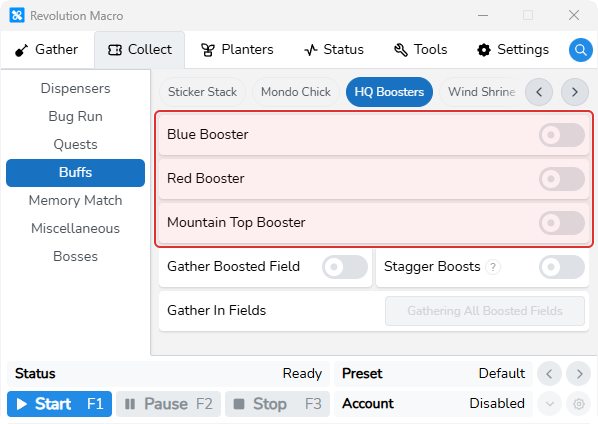
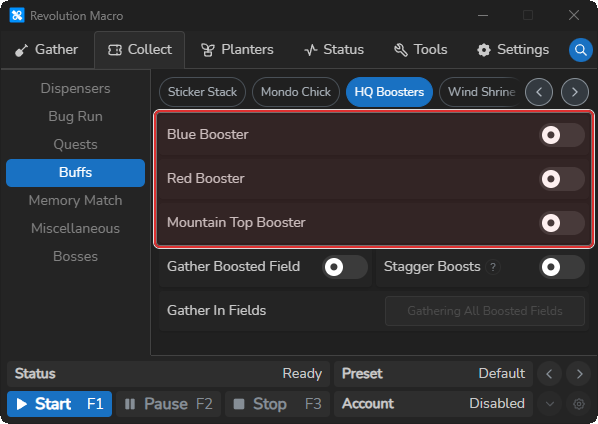
Open Collect → Buffs → HQ Boosters. You see Blue Booster, Red Booster, and Mountain Top Booster.
-
Turn on the booster color(s) you want. The matching switch stays on.
-
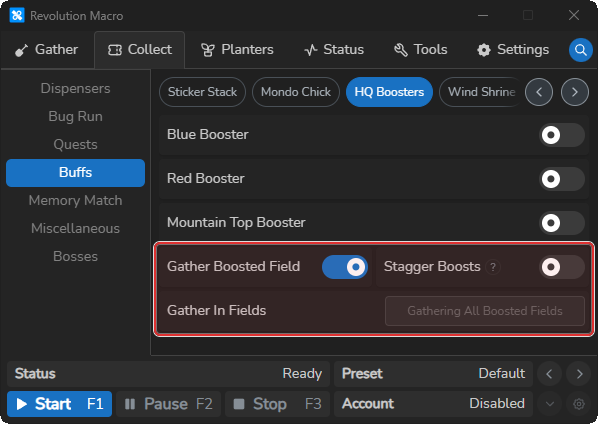
Turn on Gather Boosted Field if you want gather to follow the boost. Gather In Fields becomes usable and shows
Gathering All Boosted Fieldswhen no fields are selected.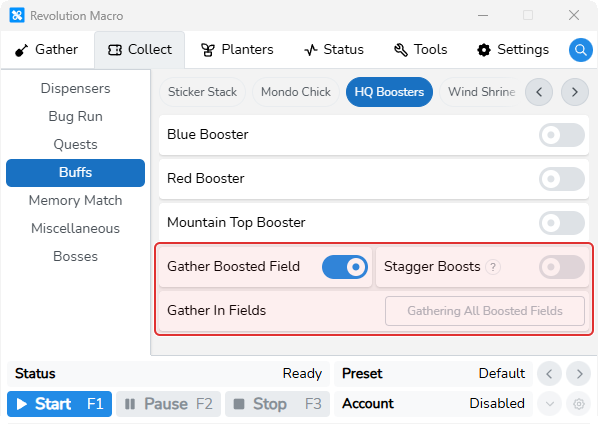
-
Optionally open Gather In Fields and tick specific fields. Selected field icons appear in the picker.
-
Start the macro and wait for an HQ booster visit when due. Status can show
Field Boosted: ….
To spread boosts instead of stacking them, turn on Stagger Boosts. That forces Gather Boosted Field on, clears and disables Gather In Fields, and waits until the current field boost expires before the next HQ booster.
Sticker Stack
Section titled “Sticker Stack”-
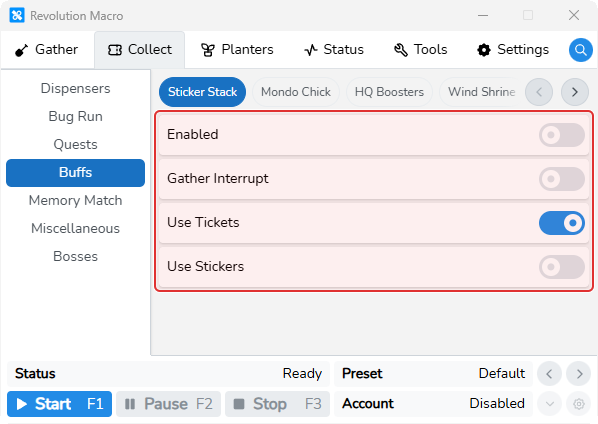
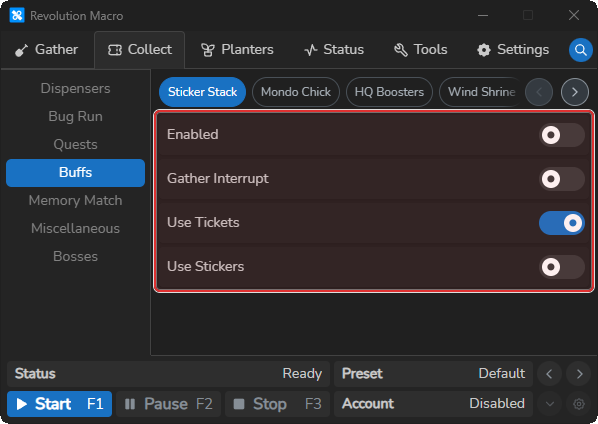
Open Collect → Buffs → Sticker Stack. You see Enabled, Gather Interrupt, Use Tickets, and Use Stickers.
-
Turn on Enabled. Leave Use Tickets on and/or turn on Use Stickers.
-
Start the macro and wait for a Sticker Stack visit. Status or the log can show
Activated Sticker Stack.
Wind Shrine
Section titled “Wind Shrine”-
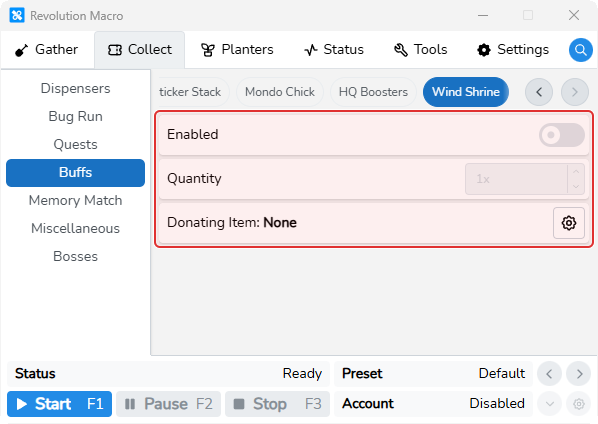
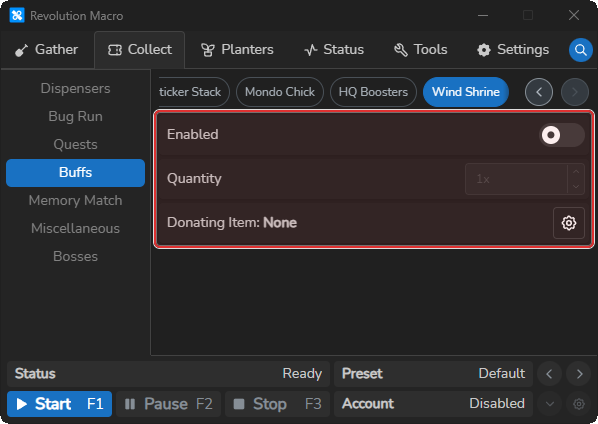
Open Collect → Buffs → Wind Shrine. You see Enabled, Quantity, and Donating Item.
-
Click the gear next to Donating Item and choose an item. Donating Item shows the selected name.
-
Set Quantity (1–1000x), then turn on Enabled. Leave Quantity at 1 unless you want larger donations.
-
Start the macro and wait for a Wind Shrine run when due (about once per hour). Success reports
Donated: Wind Shrinewith the item name.
More settings
Section titled “More settings”Blue Booster
Section titled “Blue Booster”Uses the Blue HQ field booster about every 45 minutes when due. Turn on for blue fields, or when Auto Field Boost requires Blue Booster for Gather Boosted Field.
Red Booster
Section titled “Red Booster”Uses the Red HQ field booster about every 45 minutes when due. Turn on for red fields, or when Auto Field Boost requires Red Booster for Gather Boosted Field.
Mountain Top Booster
Section titled “Mountain Top Booster”Uses the Mountain Top HQ field booster about every 45 minutes when due. Turn on for mountain-type fields, or when Auto Field Boost requires Mountain Top Booster.
Gather Boosted Field
Section titled “Gather Boosted Field”After an HQ booster, the macro waits about 3 seconds, then detects the boosted field and prefers gathering there while the boost is active. Gather can show Next field: … (Boosted). Turn on when you want gather to follow the HQ-boosted field. Forced on while Stagger Boosts is on.
Stagger Boosts
Section titled “Stagger Boosts”Spreads HQ booster uses so a field boost stays active longer. While any field boost buff is still active, the macro skips the next HQ booster. Turning this on also turns Gather Boosted Field on and clears Gather In Fields.
Gather In Fields
Section titled “Gather In Fields”Optional allow-list for Gather Boosted Field. Empty means all boosted fields. Cleared and disabled while Stagger Boosts is on. Tick specific fields only when Gather Boosted Field is on and Stagger Boosts is off.
Enabled (Sticker Stack)
Section titled “Enabled (Sticker Stack)”Turns the Sticker Stack collection task on or off. Turn on when you want the macro to refresh Sticker Stack.
Gather Interrupt
Section titled “Gather Interrupt”UI switch only. Unlike Mondo Chick, Sticker Stack does not stop gathering from this switch. When farming honey, leave gather-interrupt options off — interrupting gather for other tasks can cut honey.
Use Tickets
Section titled “Use Tickets”Allows activating Sticker Stack with tickets. Defaults on. Leave on unless you only want sticker-based activation. At least one of Use Tickets or Use Stickers must be on.
Use Stickers
Section titled “Use Stickers”Allows activating Sticker Stack by using stickers. Stickers are tried before tickets. Turn on when you prefer spending stickers.
Enabled (Wind Shrine)
Section titled “Enabled (Wind Shrine)”Turns Wind Shrine donation runs on or off. Runs about once per hour when due.
Quantity
Section titled “Quantity”How many times to donate at the shrine (1–1000x). Defaults to 1. Raise only when you intentionally want larger donations.
Donating Item
Section titled “Donating Item”Which inventory item the macro selects in the Wind Shrine donation menu. Set before enabling Wind Shrine. Open the gear to pick from the searchable item list.
Troubleshooting
Section titled “Troubleshooting”Macro does not go to the HQ Boosters
Section titled “Macro does not go to the HQ Boosters”Cause: The matching Blue Booster, Red Booster, or Mountain Top Booster switch is off, or the macro is still waiting on the about 45-minute interval since the last successful collection.
Fix:
- Open Collect → Buffs → HQ Boosters and turn on the booster color you expect.
- With Stagger Boosts on, wait until the current field boost expires before the next HQ booster runs.
- If Auto Field Boost logs that a booster is required by Gather Boosted Field or Stagger Boosts, turn on the matching HQ Booster color.
If the log shows No Field Boost Detected after a booster visit with Gather Boosted Field or Stagger Boosts on, confirm the visit finished and check for Field Boosted: … in Status. If Gather In Fields lists specific fields, tick only fields you actually boost.
Broken Sticker Stack or Failed to activate Sticker Stack: No stickers or tickets found!
Section titled “Broken Sticker Stack or Failed to activate Sticker Stack: No stickers or tickets found!”Cause: Enabled is off, both Use Tickets and Use Stickers are off, or your inventory has no stickers or tickets to spend.
Fix:
- Open Collect → Buffs → Sticker Stack and turn Enabled on.
- Leave Use Tickets on (default) and/or turn on Use Stickers.
- Restock stickers or tickets in-game, then retry on the next scheduled visit.
If the log shows Failed to detect Sticker Stack duration, wait for the next attempt after the macro can read the Sticker Stack UI.
Wind Shrine On Cooldown or failed to open or confirm
Section titled “Wind Shrine On Cooldown or failed to open or confirm”Cause: The shrine is on cooldown, or the Wind Shrine menu did not open or confirm in time.
Fix:
- Wait for the shrine cooldown to clear, then let the macro retry when due (about once per hour).
- Confirm Donating Item is set and you have enough of that item.
- Retry after the Wind Shrine menu can open normally in-game.
More help
- Auto Field Boost when Auto Field Boost requires a matching HQ Booster.
- Mondo chick and Mondo hop for Collect → Buffs → Mondo Chick setup.