
Writing your first gather pattern
You want a custom gather route you can tune yourself. A gather pattern is a short Lua script that tells Revolution how to move your character in a field. This guide covers saving a file, picking it under Select pattern, and growing a tiny path you code and run yourself with walking, camera rotation, and more complex techniques.
To install someone else’s script, copy field settings, or test from the console, check out Custom patterns. You can use Pattern API as a reference while you develop your own patterns.
How gather patterns run
Section titled “How gather patterns run”Revolution treats each gather script in two phases. At load time, it reads .lua files under patterns/gather, picks up SetName and other top-level Set* calls for the field card, and prepares the script. SetName is the label in Select pattern. Other Set* calls become defaults on that card. At run time, when gather starts on that field, Revolution runs the script top to bottom. Each walk or wait finishes before the next line runs, and the script repeats while gather continues.
Gather patterns are simple walks, waits, and camera rotation in a field. They are not travel routes between locations.
API you will use here
Section titled “API you will use here”These are the gather-pattern calls this tutorial builds on. Full signatures and optional helpers are on Pattern API.
| Call | What it does |
|---|---|
Walk / WalkAsync | Move your character by direction and studs |
Sleep / SleepStuds | Pause between movements |
SetYaw | Set camera rotation before relative walks |
Pattern.* | Read active Pattern settings from the field card |
SetName, SetLength, … | Load-time defaults for the field card |
Before you start
Section titled “Before you start”- You can add a field and pick a pattern on Choose fields and patterns.
- You have a plain-text editor (Notepad, VS Code, or similar).
- Player Movespeed under Settings → Game → Movement matches your in-game movespeed with no speed buffs. Walk distance is timed from that speed — a mismatch makes every custom path drift.
Find the gather patterns folder
Section titled “Find the gather patterns folder”You can find custom gather scripts in the patterns gather folder:
Use patterns\gather next to the Revolution app, or %APPDATA%\RevolutionMacro\patterns\gather if the folder next to the app is missing.
Use Patterns/gather under ~/Library/Application Support/RevolutionMacro/.
Create the gather folder if it is missing. Save your file as something like my_first_pattern.lua.
1. Minimal square pattern
Section titled “1. Minimal square pattern”Create my_first_pattern.lua with this exact file:
SetName("MyFirstPattern")
-- One flower tile is about 4 studs. Start small.local step = 4 * 4
Walk(Forward, step)Walk(Right, step)Walk(Backward, step)Walk(Left, step)
SetName sets the picker label at load time. Each Walk holds a direction key until your character covers that many studs. Forward, Backward, Left, and Right are direction constants the pattern API provides.
Try it
Section titled “Try it”-
Save the file under the gather folder.
-
Restart Revolution Macro.
-
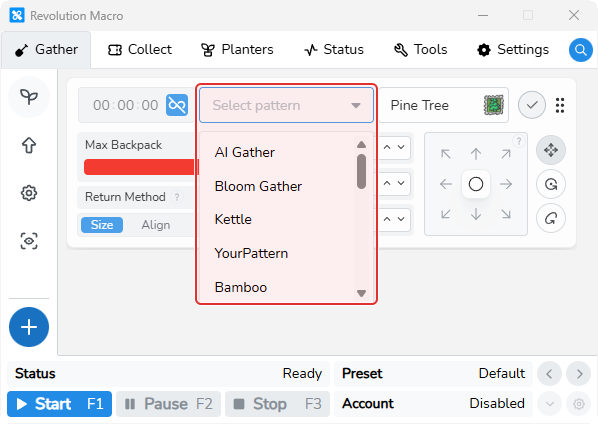
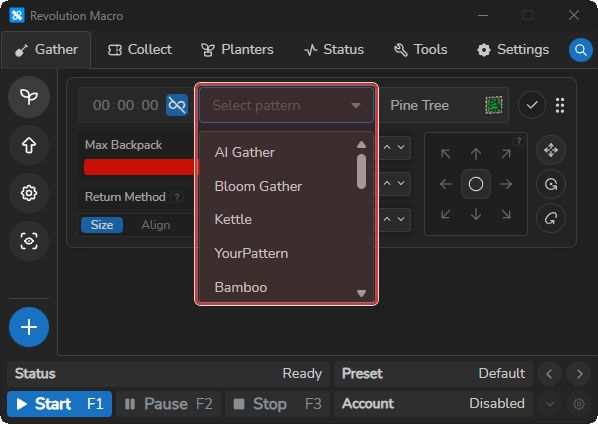
Open Gather → Fields, edit a field, open Select pattern, and choose MyFirstPattern.
-
Start the macro on that field. You should see the character walk a square and then repeat while gather continues.
You should see: MyFirstPattern next to built-ins such as Kettle, AI Gather, and Bloom Gather. If the name is missing, confirm the folder path, restart, and check for compile errors in the steps below.
2. Directions and studs
Section titled “2. Directions and studs”Walk always takes a direction and a distance in studs:
Walk(Forward, 16) -- same as 4 * 4Walk(Right, 8) -- same as 2 * 4Community patterns usually write distances as n * 4 because one flower tile is about four studs.
Keep Player Movespeed matched. If the setting is wrong, a “16 stud” walk finishes short or long and the square stops closing.
3. Pauses with Sleep and SleepStuds
Section titled “3. Pauses with Sleep and SleepStuds”Back-to-back Walk calls can feel abrupt. Insert short waits between movements:
SetName("MyFirstPattern")
local step = 4 * 4
Walk(Forward, step)Sleep(20)Walk(Right, step)Sleep(20)Walk(Backward, step)Sleep(20)Walk(Left, step)Sleep(20)Sleep(ms)waits a fixed number of milliseconds.SleepStuds(studs)waits as long as it would take to walk that many studs at the current movespeed.
You should see: the same square, with a brief pause at each corner.
4. Camera rotation with SetYaw
Section titled “4. Camera rotation with SetYaw”Walk(Forward, …), Left, Right, and Backward are relative to the camera. Call SetYaw before you lay out a path so each movement points the way you expect.
Only use SetYaw to change facing in a gather pattern — not rotate keys. SetYaw takes 0–7. Common values are 0 away from the hives, 2 toward red HQ, 4 toward the hives, and 6 toward blue HQ.
SetYaw(0)   -- look away from the hivesWalk(Forward, 4 * 4)
SetYaw(2)   -- look toward red HQWalk(Forward, 4 * 4)
Restart and pick MyFirstPattern after you add yaw changes so you can confirm each movement.
5. WalkAsync for diagonals
Section titled “5. WalkAsync for diagonals”A single Walk only holds one movement key. Diagonal movement needs WalkAsync: start one axis in the background, then Walk the other so both keys are down together.
SetName("MyFirstPattern")
local step = 4 * 4
Walk(Forward, step)Sleep(20)Walk(Right, step)Sleep(20)
-- Diagonal cut: backward and left at the same timeWalkAsync(Backward, step)Walk(Left, step)Sleep(20)
Restart, pick MyFirstPattern again, and run it. You should see: three cardinal sides, then a diagonal cut instead of a fourth square corner.
You can also write Walk({Backward, Left}, step) for the same two-axis move. Prefer plain Walk for the main loop. Use WalkAsync when you need a diagonal.
6. Scale with the Pattern table
Section titled “6. Scale with the Pattern table”Hard-coding 4 * 4 everywhere ignores Length, Width, and Alignment on the field card. During a gather run, the read-only Pattern table mirrors the Pattern settings active on that field — not the field’s Size, Position, or Tilt settings:
| Field | Meaning |
|---|---|
Pattern.Length | Length from the field card |
Pattern.Width | Width from the field card |
Pattern.Distance | Distance from the field card |
Pattern.Alignment | Alignment amount from the field card |
Pattern.Repetitions | Repeat count from the field card |
Read those values when you size walks:
SetName("MyFirstPattern")
local step = Pattern.Length * 4local align = Pattern.Alignment
Walk(Forward, step + align)Sleep(20)Walk(Right, step)Sleep(20)Walk(Backward, step + align)Sleep(20)Walk(Left, step)Sleep(20)
Change Length on the field card, restart if you edited the script, and run again. You should see: a larger or smaller square that follows the card, not only the numbers in the file.
7. Name and field-card defaults
Section titled “7. Name and field-card defaults”Top-level Set* calls next to SetName fill defaults on the field card when Revolution loads the file. For facing during the run, call SetYaw in the script body.
SetName("MyFirstPattern")SetLength(4)SetWidth(4)SetDistance(3)SetShiftLock(true)SetWalkReturn(true)
local step = Pattern.Length * 4-- …walks…
Common load-time calls include SetName, SetLength, SetWidth, SetDistance, SetShiftLock, and SetWalkReturn. Full lookup entries are on Pattern API.
When something fails
Section titled “When something fails”Break the script on purpose once so you know how to handle failures. Change the first line to invalid Lua:
SetName("MyFirstPattern"Save and restart. Revolution should report Failed to compile Lua pattern or Failed to extract metadata from Lua pattern, and the name stays out of the picker until you fix the file.
If the script loads but throws while running, the macro reports Pattern Execution Failed, waits about five seconds, and continues. Fix the error, save, and restart.
Common fixes:
- Confirm the file is under
gather, not another patterns subfolder. - Keep
SetName("MyFirstPattern")as a string literal near the top. - Match Player Movespeed before blaming the script for drift.
- Until the custom name loads, pick Kettle on the field card so gather still runs.
Drift or stuck movement after field converts is usually field Size/Position/Tilt or movespeed — see Macro resets or gets stuck.
Final pattern
Section titled “Final pattern”Copy this as a complete starter you can keep editing:
SetName("MyFirstPattern")SetLength(4)SetWidth(4)SetDistance(3)SetShiftLock(true)SetWalkReturn(true)
local step = Pattern.Length * 4local align = Pattern.Alignment
SetYaw(0)
Walk(Forward, step + align)Sleep(20)Walk(Right, step)Sleep(20)
-- Diagonal cut (needs WalkAsync — a lone Walk cannot hold two keys)WalkAsync(Backward, step)Walk(Left, step)Sleep(20)
-- Optional wall-compensation style pairif align ~= 0 then    WalkAsync(Left, align)    Walk(Backward, align)    Sleep(20)    WalkAsync(Right, align)    Walk(Forward, align)    Sleep(20)end
Save under the gather folder, restart Revolution, pick MyFirstPattern on a field, and run gather. From here, read built-ins such as Kettle under patterns/gather for denser walks, and use Pattern API as a reference for calls beyond simple walks.